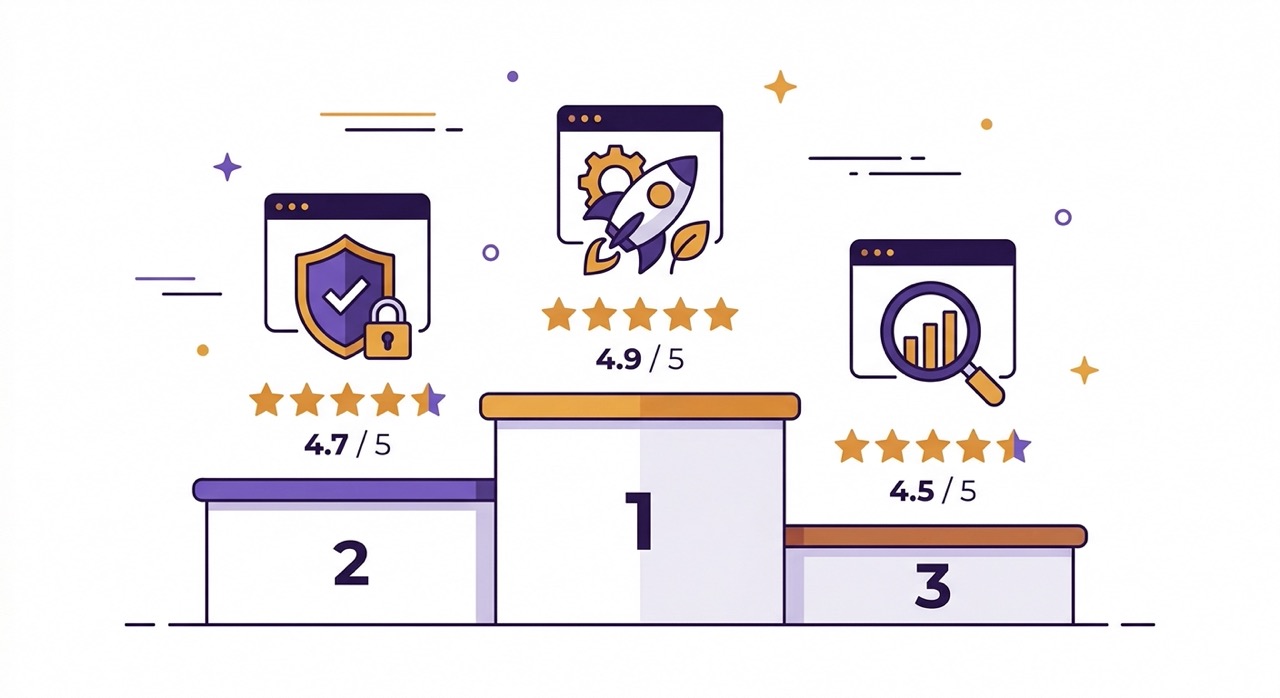
There are now dozens of tools that claim to summarize YouTube videos. Most of them were built in a hurry to catch the AI wave of 2023–2024. A handful are genuinely useful. A few are outstanding.
We tested seven of the most popular YouTube summarizer tools over several weeks, running each one on the same set of videos — a 12-minute news explainer, a 45-minute coding tutorial, a 90-minute business podcast, a 3-hour university lecture, and a Japanese-language documentary. The results varied far more than we expected.
This guide gives you an honest, detailed breakdown of each tool — what it does well, where it falls short, and who it's actually built for.
What to Look for in a YouTube Summarizer
Before diving into the reviews, here's the evaluation framework we used. A genuinely useful YouTube summarizer should deliver on five criteria:
Accuracy — Does the summary correctly represent what the video actually says? Does it miss key points or introduce information that wasn't in the video?
Summary depth options — Can you choose between a quick 3-point overview and a detailed breakdown? One-size-fits-all summaries rarely fit any situation perfectly.
Long video handling — Can the tool process a 2-hour video without truncating, chunking, or losing the narrative thread halfway through? This is where most tools fail quietly.
Language support — Can it summarize videos in languages other than English? Can it output the summary in a language different from the video?
Additional features — Timestamped navigation, comment analysis, transcript cleaning, chat/Q&A, and export options separate the full-featured tools from the basic ones.
Design and integration — Does the tool integrate into YouTube itself, or does it require copying URLs into a separate website? How much friction is there between wanting a summary and getting one?
With those criteria in mind, here are the seven tools we tested.
#1 AI Summary — Best Overall
Available at: aisummary.site · Chrome Web Store Works as: Chrome extension (lives inside YouTube) Free tier: Yes · Pro plan: Available
AI Summary is the most complete YouTube summarizer we tested, and the only one that felt like a native part of the YouTube experience rather than a separate tool bolted onto it.
What makes it stand out
The extension installs in under 30 seconds and immediately appears as a panel inside YouTube — you never leave the page. Click the "Summarize ✨" button and you get results in seconds. No copying URLs, no switching tabs, no waiting.
What genuinely separates AI Summary from every other tool in this list is its hybrid AI engine. Rather than relying on a single model, it chains ChatGPT (OpenAI), Gemini 2.5 (Google), and Claude (Anthropic) in a failover system. If one model is unavailable or rate-limited, the next one activates automatically. In practice, this means you always get a result — and the result is almost always high quality.
Summary depth options are well thought out. Short mode produces 3–5 bullet points — exactly what you need to decide whether a video deserves your full attention. Normal mode gives you a structured overview with sections and conclusions. Long mode is a genuine deep-dive that covers every significant point, ideal for lectures, conference talks, and technical tutorials.
Long video performance
This is where AI Summary genuinely outperforms the competition. Thanks to Gemini 2.5's large context window, it processed our 3-hour university lecture without any truncation or quality degradation. Most other tools in this comparison either refused to process it, chunked it into disconnected segments, or produced a summary that clearly missed the second half of the content.
Additional features
Beyond summarization, AI Summary includes a full feature set that no other single tool in this list matches:
Timestamped navigation — every summary point links to the exact second in the video
Comment analysis — AI reads the comments and surfaces sentiment, top discussion topics, and notable community feedback
Clean transcript — converts raw auto-captions into punctuated, paragraph-formatted readable text
Ask AI / Chat — an interactive Q&A interface where you ask specific questions about the video content
One-click export — to Notion, Google Docs, PDF, DOC, or TXT (with full Cyrillic and Unicode support)
Multilingual output — auto-detects video language, outputs summary in any of 50+ languages
Design
The glassmorphic interface adapts to both YouTube's light and dark themes. It feels like it was designed by the same team that built YouTube, not a third-party developer.
Verdict
Best overall. Widest feature set, most reliable performance on long videos, and the only tool with a native YouTube integration that genuinely feels seamless. The free tier covers core summarization — start there.
→ Add AI Summary to Chrome for free at aisummary.site. No account required to get started.
#2 Eightify — Best for Short Summaries
Available at: eightify.app · Chrome extension Free tier: Limited (daily cap)
Eightify was one of the first AI YouTube summarizers to gain real traction, and it earned that reputation for good reason. Its core product — a clean, fast summary broken into eight key points — is executed well.
What it does well
Speed is Eightify's strongest suit. Summaries appear quickly, the interface is clean, and the eight-point structure works surprisingly well for most video lengths. For news videos, interviews, and explainer content under 30 minutes, it delivers reliable results.
Where it falls short
The rigid eight-point format is also its main limitation. A 90-second video and a 90-minute documentary get the same structure, which means you lose nuance on long content and get padding on short content. There's no flexibility to request more or less detail.
Long video handling is noticeably weaker than AI Summary. Our 3-hour lecture test produced a summary that clearly missed the final third of the content. The free tier's daily limit becomes restrictive quickly if you're a regular YouTube user.
Verdict
Solid entry-level tool. Good for casual users who primarily watch short-to-medium videos and want a quick summary without configuring anything. Not the right choice if you regularly watch long-form content.
#3 Glasp — Best for Knowledge Management
Available at: glasp.co · Chrome extension Free tier: Yes
Glasp takes a different philosophical approach to YouTube content. Rather than just summarizing videos, it positions itself as a social knowledge management platform — you highlight, save, and share insights from both web pages and YouTube videos.
What it does well
If you're building a personal knowledge base and want to connect insights from YouTube videos to articles, books, and web content you've already saved, Glasp's integrated approach is genuinely useful. The ability to see what other users have highlighted from the same video adds a social dimension that no other tool here offers.
Where it falls short
The summarization itself is less sophisticated than AI Summary or Eightify. Glasp functions better as a clipping and annotation tool than a pure summarizer. The social features, while interesting, add complexity that many users don't need. There's no long video handling advantage, no comment analysis, and no direct YouTube integration — you work through the Glasp sidebar.
Verdict
Best for users who are already committed to building a public or personal knowledge graph. Not the right primary tool if summarization speed and quality are your main requirements.
#4 NoteGPT — Best for Students
Available at: notegpt.io · Chrome extension + web app Free tier: Yes (with limits)
NoteGPT is clearly built with students and researchers in mind. Its feature set focuses on note generation, flashcard creation, and study-oriented outputs from YouTube content.
What it does well
The ability to generate structured study notes and flashcards directly from a YouTube video is genuinely useful for academic use cases. NoteGPT also has a reasonable web app interface that works without the extension if needed. Summary quality on educational content is solid.
Where it falls short
Outside the student use case, NoteGPT feels over-engineered for everyday use. The interface has more steps than necessary for a simple summary request. Long video handling is average — similar to Eightify's limitations. Export options are more limited than AI Summary.
Verdict
Strong choice specifically for students who want to convert YouTube lectures into study materials. For general users, the workflow has too much friction compared to the top options.
#5 Summarize.tech — Simplest Option
Available at: summarize.tech · Web app only Free tier: Yes
Summarize.tech is the most minimal tool in this comparison. You paste a YouTube URL into a web form, click summarize, and receive a text summary. That's the entire product.
What it does well
Zero setup, zero installation, zero account. For someone who occasionally needs a video summary and doesn't want to install anything, it's a functional option. The summaries are structured in a chapter-based format that mirrors the video's natural sections.
Where it falls short
Being a web app rather than a browser extension creates friction on every single use. Copy the URL, open a new tab, paste, wait. There are no depth options, no timestamped navigation, no export features, and no long video support. It's the 2022 version of a YouTube summarizer in a 2025 landscape.
Verdict
Acceptable as a one-off tool. Not a sustainable choice for anyone who wants to summarize videos regularly.
#6 Merlin AI — Best Multi-Purpose AI Assistant
Available at: getmerlin.in · Chrome extension Free tier: Yes (with credit limits)
Merlin is a broader AI assistant that works across the entire web — not just YouTube. It can summarize YouTube videos but also helps with emails, documents, web pages, and general AI chat.
What it does well
If you want one AI extension that handles YouTube plus everything else in your browser, Merlin is a reasonable choice. The YouTube summarization feature is competent. The interface is clean and the response speed is good.
Where it falls short
Because YouTube summarization is one feature among many in a general-purpose tool, it hasn't been optimized with the same depth as dedicated solutions. There's no comment analysis, no timestamped navigation linked to summaries, and no specialized long video handling. The credit-based free tier depletes quickly with regular use.
Verdict
Good if you want a single AI extension for everything. Not the best choice if YouTube summarization is your primary need.
#7 ChatGPT (Manual Method) — Most Flexible, Highest Friction
Available at: chat.openai.com · Web app Free tier: Yes (GPT-3.5) / Paid (GPT-4o)
Technically not a YouTube summarizer, but many users use ChatGPT to summarize videos by copying the transcript manually and pasting it with a summarization prompt. It deserves a place in this comparison because it represents the baseline of what AI can do with video content.
What it does well
Maximum flexibility. You control the exact prompt, the output format, the level of detail, and the language. If you have a specific summarization need that no other tool addresses, the manual ChatGPT approach can handle it. GPT-4o's quality is excellent.
Where it falls short
The friction is significant. You need to manually access the YouTube transcript, copy it, open ChatGPT, paste the transcript, write a prompt, and wait for the response. For a 2-hour video, the transcript may exceed ChatGPT's context window. There's no YouTube integration, no timestamped output, and no export to Notion or Docs. Every step is manual.
Verdict
Useful as a fallback or for highly customized needs. Not a practical daily tool for YouTube summarization when dedicated extensions exist.
Head-to-Head Comparison Table
Feature | AI Summary | Eightify | Glasp | NoteGPT | Summariz | Merlin | ChatGPT |
|---|---|---|---|---|---|---|---|
Chrome extension | ✓ | ✓ | ✓ | ✓ | ✗ | ✓ | ✗ |
Lives inside YouTube | ✓ | ✓ | ✗ | ✗ | ✗ | ✓ | ✗ |
Summary depth options | 3 levels | Fixed | Limited | 2 levels | Fixed | Limited | Manual |
Long video (2h+) | ✓ Strong | ✗ Weak | ✗ Weak | ✗ Average | ✗ Weak | ✗ Average | ✓ Manual |
Timestamped summary | ✓ | ✓ | ✗ | ✓ | ✓ | ✗ | ✗ |
Comment analysis | ✓ | ✗ | ✗ | ✗ | ✗ | ✗ | ✗ |
Clean transcript | ✓ | ✗ | ✗ | ✗ | ✗ | ✗ | ✗ |
Ask AI / Chat | ✓ | ✗ | ✗ | ✓ | ✗ | ✓ | ✓ |
Export (Notion/Docs/PDF) | ✓ All | ✗ | ✓ Partial | ✓ Partial | ✗ | ✗ | ✗ |
50+ languages | ✓ | ✗ | ✗ | ✗ | ✗ | ✓ | ✓ |
Hybrid AI engine | ✓ | ✗ | ✗ | ✗ | ✗ | ✗ | ✗ |
Free tier | ✓ | ✓ Limited | ✓ | ✓ Limited | ✓ | ✓ Limited | ✓ Limited |
Which Tool Should You Choose?
The right tool depends on what you actually do on YouTube and what you need from a summarizer.
Choose AI Summary if: You regularly watch YouTube videos for learning, research, or work. You want one tool that handles everything — short videos, long videos, foreign-language content, exports, and Q&A — without switching between multiple apps. You value a seamless experience that feels native to YouTube rather than bolted onto it.
Choose Eightify if: You primarily watch shorter videos (under 30 minutes) and want a fast, no-configuration summary. You don't need deep features and prefer simplicity over power.
Choose Glasp if: You're building a personal knowledge base and want to connect YouTube insights to a broader collection of web content. The social knowledge-sharing aspect appeals to you.
Choose NoteGPT if: You're a student who watches YouTube lectures and wants the output formatted specifically for studying — notes, flashcards, and structured review material.
Choose Summarize.tech if: You need a summary occasionally, don't want to install anything, and have no other requirements beyond a basic text output.
Choose Merlin if: You want one AI extension for your entire browser — YouTube plus email, documents, and web pages — and YouTube summarization is just one of many use cases.
Choose the manual ChatGPT method if: You have a highly specific summarization requirement, need complete control over the prompt, and don't mind the friction of doing it manually.
Frequently Asked Questions
Are YouTube summarizer tools accurate? Quality varies significantly between tools and video types. Tools using GPT-4o, Gemini 2.5, or Claude as their underlying model generally produce accurate summaries. The main source of error is poor transcript quality (heavy accents, technical jargon, poor audio) rather than the AI model itself. Always treat a summary as a guide to the video's content, not a guaranteed verbatim representation.
Are these tools free? All seven tools in this comparison offer a free tier of some kind. The limitations vary — some cap the number of daily summaries, some limit access to shorter videos, some restrict advanced features. AI Summary's free tier covers core summarization without requiring an account. Pro plans unlock unlimited summaries and advanced capabilities.
Do these tools store my data? Data handling varies by tool. Check each tool's privacy policy for specifics. AI Summary does not store your video data or share it with third parties — the content is processed to generate your requested output and not retained.
Do they work on YouTube Shorts? Most tools are optimized for standard YouTube videos with transcripts. Shorts support is inconsistent across all tools in this comparison as of 2025.
Can I use these tools for videos in languages other than English? AI Summary supports 50+ languages for both input and output — it auto-detects the video language and can output the summary in a different language. Most other tools in this list have limited or no multilingual support beyond English.
Conclusion
The YouTube summarizer market has matured quickly. The gap between the best tools and the average ones is now significant — not just in feature count, but in the quality of the core summarization itself.
If you're going to install one tool and use it daily, AI Summary is the most complete option available in 2025. The hybrid AI engine, native YouTube integration, long video support, and full export workflow cover every scenario you're likely to encounter. The free tier is a genuine starting point, not a crippled demo.
That said, every tool in this list has earned its users. The right choice depends on your workflow, your video habits, and how much you value a seamless experience versus a minimal one.
Start with AI Summary — install it free from the Chrome Web Store at aisummary.site and try it on the next video you open. No account, no setup, no commitment required.
Previously: How to Summarize a YouTube Video in Under 60 Seconds ←
Next read: How to Use AI to Get More Out of YouTube →
Related: ChatGPT vs Gemini vs Claude: Which AI is Best for Summarizing Content? · 5 Chrome Extensions That Make YouTube Useful for Learning