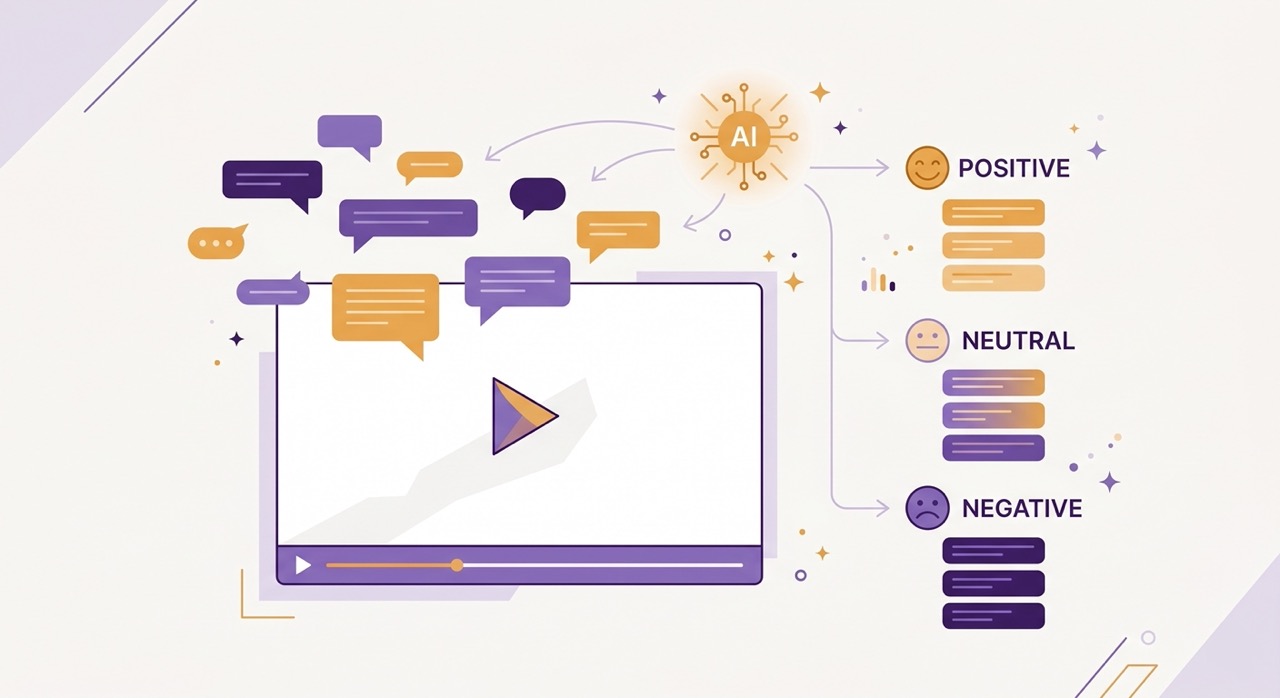
The comments section of a popular YouTube video is one of the most information-dense and least accessible places on the internet. A video with 100,000 views might have 1,200 comments. Those comments contain real user experiences, corrections to factual errors in the video, alternative approaches the creator did not mention, questions that reveal what the audience found confusing, and genuine community debate about the topic at hand.
Reading through 1,200 comments to find that signal is not something any reasonable person does. So most viewers ignore the comments entirely, which means ignoring a layer of information that is often as valuable as the video itself. And most creators scroll through the first twenty comments, respond to a few, and never develop a systematic understanding of what their audience is actually telling them.
AI comment analysis changes this. Instead of reading 1,200 comments yourself, an AI model reads them for you — identifying the overall sentiment, surfacing the top discussion topics, extracting the most substantive feedback, and presenting the findings in a format you can read in two minutes.
This guide covers what AI comment analysis actually produces, who benefits from it and how, and what the practical workflow looks like for viewers, creators, and marketers using it on real videos.
What Can AI Tell You from YouTube Comments?
Before getting into specific use cases, it is worth being precise about what AI comment analysis actually does — and what it does not do.
A well-implemented comment analysis process reads the full set of available comments on a video and extracts three categories of information.
Overall sentiment is a measure of the emotional tone of the comment section as a whole. Is the audience predominantly positive, mixed, or negative about the video and its content? Sentiment analysis goes beyond counting thumbs up and thumbs down — it reads the actual language of the comments to assess whether people found the content valuable, accurate, engaging, or disappointing. A video can have thousands of likes and still have a comment section full of corrections and criticisms that the like count does not capture.
Top discussion topics are the subjects that appear most frequently across the comment section. In a 45-minute tutorial video, the comments might cluster around three or four specific issues: a step that many viewers found confusing, a tool the creator recommended that some commenters found had a free alternative, a follow-up question that many people share, and praise for a specific section that resonated particularly strongly. These topics represent what the audience actually engaged with — which is often different from what the creator thought was most important.
Notable community feedback is the most nuanced output: specific comments that contain substantive information beyond simple reactions. This includes corrections to factual errors in the video, alternative methods that experienced practitioners in the comments recommend, warnings about information that has become outdated, links to related resources that the community has found valuable, and particularly insightful questions that reveal gaps in the video's explanation.
Together, these three outputs give you a meaningful picture of the comments section in two minutes of reading rather than sixty minutes of scrolling.
Use Case 1 — As a Viewer: Is This Video Worth Watching?
The most immediate use of comment analysis for an ordinary viewer is pre-watch evaluation. Before investing 45 minutes in a tutorial or 90 minutes in a documentary, knowing what the community thinks of it is genuinely useful information.
Consider the scenarios where comment sentiment changes your decision. A cooking tutorial where the top discussion topic is "this recipe did not work for most commenters" is a video worth approaching with skepticism or skipping entirely. A software tutorial where the comments reveal that the demonstrated method was deprecated in the latest version of the tool saves you from learning something that no longer works. A business advice video where experienced practitioners in the comments largely contradict the creator's main claims deserves a more critical viewing than you might otherwise give it.
Comment analysis also reveals the quality of information in ways the video itself does not advertise. A video with a confident presenter and high production value might have a comment section full of corrections. A modestly produced video from a less well-known creator might have a comment section where experts in the field consistently praise the accuracy and depth of the content. The comments are a community quality signal that the view count and like ratio do not capture.
For a viewer making decisions about how to spend limited time on learning and research, two minutes of comment analysis before watching is a reliable filter that makes the subsequent viewing more efficient and more critical.
Use Case 2 — As a Creator: What Does My Audience Actually Want?
For YouTube creators, the comments section is simultaneously the most valuable source of audience feedback and the most emotionally difficult one to engage with systematically. AI comment analysis removes the emotional friction from the process by presenting the findings abstractly rather than confronting you with individual comments one by one.
Understanding what resonated. When a comment analysis surfaces that 40% of the comment discussion centers on one specific section of your video — the three-minute segment where you explained a particular concept — that is direct evidence of what your audience found most valuable. It tells you what to expand in future videos, what to turn into a dedicated follow-up, and what to reference when explaining your content's value to potential collaborators or sponsors.
Identifying what confused people. The questions that appear repeatedly in the comments are a precise map of where your explanation was insufficient. If thirty different commenters ask variations of the same question about a step you thought you explained clearly, the problem is almost certainly in how you explained it, not in the audience's comprehension. Comment analysis makes this pattern visible rather than requiring you to read every comment to notice it.
Finding factual errors you missed. Everyone makes mistakes in videos. Corrections buried in the comments are invisible to most creators who check comments only in the first few hours after publishing. AI analysis surfaces corrections regardless of when they were posted or how many likes they received — giving you the information you need to pin a correction comment or update the video description.
Planning future content. The questions your audience asks in the comments of your existing videos are a direct brief for future content. Rather than trying to guess what topics your audience wants next, comment analysis gives you explicit evidence: these are the gaps in your existing explanation, these are the follow-up questions your viewers have, these are the related topics the community keeps raising. Content planned from this data addresses demonstrated demand rather than assumed interest.
Use Case 3 — As a Marketer: Competitor and Market Research
For marketers and researchers, YouTube comment sections are a largely untapped source of consumer insight. The comments on competitor videos, industry expert videos, and product review videos contain candid, unsolicited opinions from real users — the kind of data that market research surveys try to capture but rarely do as authentically.
Competitor analysis. The comments on a competitor's product tutorial or review video reveal the objections, frustrations, and unmet needs of their user base. What features do commenters most frequently ask about that the competitor does not offer? What complaints come up repeatedly? What praise do users give that reveals what they value most? This information informs both product development and marketing positioning.
Understanding audience language. The specific words and phrases that real users use when discussing a product category in YouTube comments are more valuable than focus group data for copywriting and messaging. People describe their problems and desires in natural language in comments, unprompted and unfiltered. Comment analysis across multiple relevant videos produces a vocabulary of authentic customer language that marketing teams can use directly.
Identifying influential community voices. Comment analysis that surfaces specific high-engagement comments also identifies the commenters who carry authority in a community — practitioners with deep experience who other commenters consistently upvote and engage with. These are potential partners, advisors, or influencer relationships worth identifying.
Tracking sentiment shifts over time. For a product or topic that has been covered repeatedly on YouTube over months or years, comment analysis across a set of videos shows how the community's perception has evolved. A product that received enthusiastic comments a year ago and skeptical comments recently has a story worth investigating.
How AI Comment Analysis Works in Practice
Understanding what the analysis produces is useful. Knowing exactly how to use it in a real workflow is more useful.
The AI Summary extension includes a dedicated Comments tab within the panel that appears inside YouTube. The workflow has three steps.
Step 1 — Open any YouTube video with comments enabled. Navigate to the video you want to analyze. The AI Summary panel is already present in your YouTube interface. Click the Comments tab within the panel.
Step 2 — Generate the analysis. Click the analyze button. The extension reads the available comments — up to several hundred of the most recent and most-engaged comments — and processes them through the AI model. Analysis typically completes in under 30 seconds for most videos.
Step 3 — Read the structured output. The analysis returns three sections: an overall sentiment score with a brief characterization of the comment tone, a list of the top three to five discussion topics with a short description of what each discussion involves, and a selection of the most substantive individual comments — corrections, insights, recommendations, or particularly well-articulated questions — that represent the highest-value signal in the comment section.
The full process from opening the video to reading the analysis takes under two minutes. For a video with 800 comments, this represents a compression ratio of roughly 30 to 1 compared to reading the comments manually — and a quality improvement over manual reading, because the AI does not get bored or miss patterns the way a human reader does when working through hundreds of similar comments.
What Comment Analysis Does Not Do
Honest reporting on any tool requires being clear about its limitations.
It does not read every single comment. YouTube's API limits how many comments can be accessed programmatically. For very popular videos with tens of thousands of comments, the analysis works from a large but not exhaustive sample. The sample is weighted toward most-recent and most-engaged comments, which is generally the right prioritization.
It does not resolve factual disputes. If the comments contain a genuine debate about whether the creator's method is correct, the analysis surfaces the debate — it does not determine who is right. That judgment remains with you.
Sentiment analysis has known limitations with sarcasm and irony. A comment that says "Oh great, another expert who has clearly never actually done this" reads as negative in tone but contains a specific substantive criticism. AI models handle sarcasm better than they did three years ago, but it is not perfectly reliable. Treat sentiment scores as directional indicators rather than precise measurements.
It reflects the commenting audience, not all viewers. YouTube comments are written by a self-selected subset of viewers — typically between 0.5% and 2% of total viewers leave comments. The commenting audience skews toward highly engaged viewers and toward people with strong opinions in either direction. Silent majority viewers who found the content useful and moved on are underrepresented. Keep this in mind when interpreting sentiment findings.
Practical Walkthrough: Analyzing a Real Video
To make this concrete, here is what the comment analysis output looks like on a real video type — a 38-minute tutorial on a popular productivity software, with approximately 650 comments.
Sentiment: Mixed-positive. The majority of comments express appreciation for the structured approach and the practical examples. A significant minority express frustration with one specific section that many found unclear.
Top discussion topics:
Questions about compatibility with Windows versus Mac (raised by approximately 18% of commenters)
Requests for a follow-up video covering advanced features not mentioned in the tutorial
Discussion of a free alternative to the paid tool featured in the video, with multiple commenters sharing links
Praise for the section on keyboard shortcuts, with many commenters saying it was the most useful part
Notable community feedback:
One highly-upvoted comment from a user identifying themselves as a professional in the field points out that the method shown in step 4 has been superseded by a more efficient approach in the latest software version
A pinned creator response acknowledges a specific error in the pricing information given at 22:14
Several commenters recommend a specific plugin not mentioned in the video that solves the main limitation the creator acknowledged
In under two minutes of reading, a viewer now knows: the video is generally reliable but has one outdated section, the creator has acknowledged a pricing error, there is a free alternative worth investigating, and a plugin exists that addresses the main gap. This is significantly more useful context than the like ratio or view count provides.
Frequently Asked Questions
Does comment analysis work on videos with few comments? Yes, but the output is less meaningful. A video with 15 comments does not have enough signal for reliable topic clustering or sentiment analysis. The feature produces the most valuable results on videos with at least 50 to 100 substantive comments.
Can I use comment analysis on my own videos as a creator? Yes, and this is one of the most practical use cases. Opening your own videos and running comment analysis gives you a structured summary of your audience feedback without the emotional difficulty of reading comments one by one. Many creators find this a more sustainable way to engage with feedback systematically.
Does it work on videos in languages other than English? AI Summary's comment analysis works across the languages supported by the extension's AI models. For major languages — Spanish, French, German, Portuguese, Japanese, Ukrainian — the analysis quality is reliable. For less common languages, results may be less consistent.
How current are the comments it analyzes? The analysis works from the comments available at the time you run it. For a recently published video, this means the most recent comments. For an older video, the most-engaged comments over its full lifetime. The recency weighting is adjustable in the extension settings.
Can I export the comment analysis? Yes. The comment analysis output can be exported to Notion, Google Docs, or downloaded as a text file through the same export options available for video summaries.
Conclusion
The comments section is the part of YouTube that most people treat as either a source of entertainment or a place to avoid entirely. Neither treatment extracts the genuine value it contains.
For viewers, comment analysis is a two-minute pre-watch filter that makes subsequent viewing more critical and more efficient. For creators, it is the systematic audience feedback mechanism that comment reading has always promised but rarely delivered. For marketers, it is an underused source of authentic consumer language and competitive intelligence.
The barrier has always been time and attention — reading hundreds of comments to find the ten that actually contain useful information is not a reasonable ask. AI comment analysis removes that barrier by doing the reading for you and presenting the findings in a format that takes two minutes rather than sixty.
The comments on the next video you open contain more information than the video itself in some respects. Now you have a way to access it.
The Comments Analysis feature is built into the AI Summary Chrome extension — open any YouTube video, click the Comments tab in the AI Summary panel, and get structured insights in under 30 seconds. Install it free at aisummary.site.
Previously: How to Summarize Long YouTube Videos (2h+) Without Losing Key Details ← · Next read: 5 Chrome Extensions That Make YouTube Actually Useful for Learning →
Related: How to Use AI to Get More Out of YouTube Without Watching Every Second · Best YouTube Summarizer Tools in 2026: Tested & Ranked