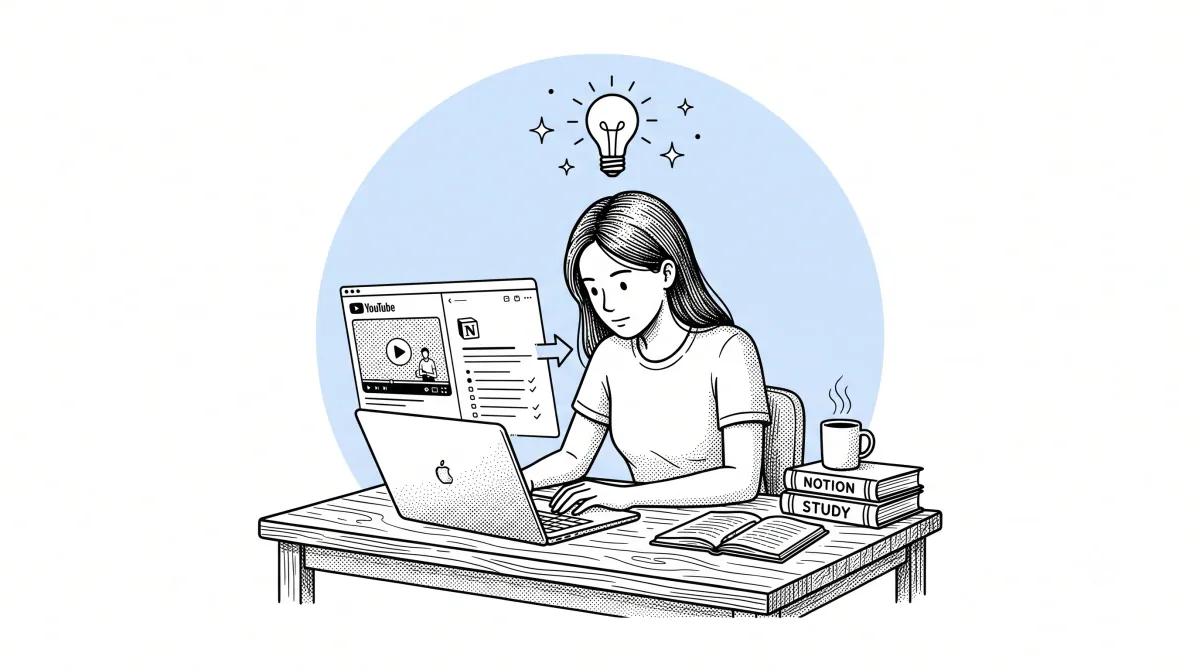
There is a version of YouTube that most students never fully access. Not the recommendation feed, not the trending page, not the algorithmically curated autoplay queue — but the version that contains complete university courses from MIT, Stanford, and Harvard published for free. The version with Khan Academy's 8,000 instructional videos covering mathematics from basic arithmetic to multivariable calculus. The version where leading researchers, practitioners, and educators in every field have published detailed, accurate explanations of their expertise without a paywall, without enrollment requirements, and without a fixed schedule.
This version of YouTube is the largest free university ever built. The problem is that it comes without the infrastructure that makes a university useful for learning: no syllabus, no assignments, no structured review, no accountability, and — most significantly — no tools for converting video content into the kind of organized, reviewable study material that actually produces retention.
Watching a lecture is not the same as learning from it. Reading your notes from a lecture is not the same as understanding the material. Understanding the material is not the same as being able to retrieve and apply it under exam conditions or in professional practice. The gap between passively consuming a YouTube lecture and genuinely mastering its content is a methodological gap, not an intelligence gap. This guide is about closing it.
The Problem with Watching Lectures Passively
Every student who has spent an afternoon watching YouTube lectures and felt productively busy — only to discover during revision that almost nothing had been retained — has encountered the passive watching trap firsthand.
The trap works like this. Video activates a passive consumption mode that feels like learning because you are receiving information. The information goes in. It produces a sense of familiarity and comprehension in the moment. But familiarity is not the same as knowledge. Comprehension during a lecture is not the same as the ability to reconstruct and apply that understanding independently. Memory research consistently shows that information received passively — without active processing, retrieval practice, or elaboration — fades to near zero within 48 to 72 hours for most learners.
The specific features of YouTube make the passive trap deeper than it is with other video formats. Autoplay leads from one video to the next without requiring a decision. The platform's design is optimized for continued watching rather than pausing to process. There are no natural breaks built into the format — no end of chapter, no problem set, no discussion section — that interrupt passive consumption and force active engagement.
The five steps in this guide are each designed to insert active processing into the YouTube lecture workflow at the point where it produces the most benefit.
Step 1 — Find Good Lecture Content on YouTube
The quality of what you study from matters. YouTube's search algorithm does not prioritize educational accuracy or pedagogical quality — it prioritizes engagement, recency, and watch time. A well-produced video with an enthusiastic presenter ranks higher than a technically accurate but modestly produced lecture from a genuine expert in the field. Knowing where to look for reliable educational content is the first skill.
University channel playlists are the highest-reliability source for academic content. MIT OpenCourseWare, Stanford Online, Yale Open Courses, and dozens of other institutions publish complete course lecture sequences as organized playlists. These videos were recorded for actual university courses — the content has been prepared, reviewed, and delivered to enrolled students who are paying for the education. The production quality is often modest, but the accuracy and depth are reliable.
Subject-specific established channels have developed reputations for accuracy over years of publishing. In mathematics, 3Blue1Brown's visual explanations of calculus and linear algebra have become standard references. In science, Kurzgesagt's explanations are accurate and thoroughly researched. In computer science, CS Dojo, Traversy Media, and The Coding Train have established track records. In economics, channels affiliated with universities and research institutions consistently outperform general personal finance content.
Before committing time to an unfamiliar channel, run the video through AI Summary's comment analysis. The comments on educational videos from genuinely expert creators tend to be substantive — corrections are rare, questions are specific, and practitioners in the field tend to validate the content. Comments on inaccurate educational content tend to show the opposite pattern within days of publication.
Step 2 — Generate a Timestamped Summary Before Watching
This step reverses the typical order of operations and makes every subsequent minute of watching more productive.
The standard approach to a YouTube lecture is to press play and receive the content in the order and at the pace the lecturer chose, without any advance knowledge of where the argument is going. This is how television works, not how textbooks work. When you open a textbook chapter, you read the heading, scan the subheadings, look at any diagrams or summary boxes, and read the chapter summary — all before reading the chapter itself. This pre-reading creates a mental framework that the detailed content then populates. Comprehension and retention are measurably higher when the learner has a structural map before engaging with the detail.
AI-generated summaries create this pre-reading equivalent for YouTube lectures.
Open the lecture on YouTube. Open the AI Summary panel and generate a Normal or Long summary before pressing play on the video. Read the summary — this takes two to four minutes for a 50-minute lecture. You now know the structure of the argument, the key concepts that will be introduced, the examples that will be used to illustrate them, and the conclusions the lecture builds toward.
When you then watch the lecture, you are not receiving information cold. You are matching what you are hearing against a framework you already have. Your attention automatically prioritizes the moments where the lecture departs from the framework or adds nuance that the summary did not capture. Your note-taking becomes selective rather than exhaustive — you are annotating a structure rather than trying to transcribe content you have no context for.
The AI Summary Chrome extension handles this with one click directly inside YouTube. Generate the summary, read it, then watch. The timestamped points in the summary let you navigate the lecture as a structured document rather than a linear stream — you can jump directly to sections you want to engage with more deeply and move through sections where the summary was already sufficient.
Step 3 — Get a Clean Transcript for Detailed Notes
For lectures where you need detailed, accurate notes — particularly in technical subjects where the precise wording of definitions and explanations matters — the clean transcript is the most efficient raw material.
YouTube's auto-generated transcript contains every word spoken in the lecture, but in a form that is effectively unreadable: no punctuation, no paragraph breaks, filler words throughout, no indication of where one idea ends and another begins. The AI Summary Clean Transcript feature transforms this raw text into a properly punctuated, paragraph-formatted document in under two minutes.
The clean transcript serves as the annotation base. Open it alongside your summary — or export both to the same Notion page or Google Doc — and work through the transcript as you would a written text: highlighting key passages, adding your own explanatory notes in a different color, marking sections that require further investigation, and flagging specific examples you want to remember.
For subjects with precise technical language — mathematics, chemistry, law, computer science, linguistics — the transcript gives you the exact wording of definitions and formal statements, which is more reliable than paraphrasing under the time pressure of live note-taking. A definition in mathematics has specific words for specific reasons. Capturing the transcript version rather than a hurried paraphrase means your notes contain the accurate version.
Step 4 — Chat with the Video to Fill Gaps
Every lecture leaves gaps. Some are deliberate — the lecturer assumes prior knowledge the student does not have. Some are accidental — an explanation that was clear to the lecturer is opaque to a first-time learner. Some emerge from the format — a point that would benefit from a different example, a concept that clicks for some students and not others, a connection to related material that the lecture does not draw explicitly.
In a live lecture or seminar, you raise your hand or speak to the lecturer afterward. In a recorded YouTube lecture, there is no equivalent — until now.
The Ask AI feature in the AI Summary panel gives you an interactive chat interface connected to the full transcript of the current video. You type a question in natural language and receive a direct answer drawn from the video's content, with timestamps pointing to the relevant sections.
The range of useful questions is broad. For comprehension gaps: "Can you explain the difference between the two concepts introduced in the third section?" For specific references: "What exact formula does the lecturer give for calculating X?" For navigation: "At what point does the lecture address the problem of Y?" For synthesis: "How does the conclusion in the final section follow from the evidence presented in sections two and three?"
This does not replace the kind of dialogue available in a live seminar. But for recorded lectures where no human interlocutor is available, it is the most functional equivalent that currently exists.
Step 5 — Export to Notion or Google Docs
The notes you take and the summaries you generate have no lasting value if they exist only in a YouTube browser tab that you will close and never return to. Export is the step that transforms a temporary viewing session into a permanent knowledge asset.
AI Summary exports to Notion and Google Docs with a single click. The export contains the structured summary, the timestamped reference points, and the video metadata — title, channel, URL, date — that allows you to locate the source if you need to return to it.
For Notion users, the export creates a new page in your selected database. Add a course tag, a subject tag, and a brief personal note on the most important insight from the lecture. Over a semester of consistent exporting, this database becomes a complete, searchable record of your YouTube-based learning — organized by subject, filterable by course, and linked to related notes from other sources.
For Google Docs users, the export creates a new document in your Drive. If you are building a study guide for a specific exam or course, export each lecture summary to the same folder and combine them into a master document as the course progresses.
For offline study, the PDF export produces a formatted, printable document with full support for any language's character set. Printing lecture summaries and annotating them on paper during a revision session is a study technique with strong evidence behind it — the physical act of writing reinforces memory in ways that digital annotation does not fully replicate.
Real Example: Khan Academy Video → Full Study Guide
To make the workflow concrete, here is a specific example from beginning to end.
The video: a 24-minute Khan Academy lecture on the second derivative test in calculus. The context: a student preparing for a calculus exam who has already watched several lectures on related topics.
Before watching: Generate a Normal summary. The summary shows the lecture has four sections: review of the first derivative test, introduction of the concavity concept, the second derivative test procedure, and worked examples. Reading time: two minutes. The student identifies that sections one and four are most useful — the review provides context and the worked examples are directly applicable to exam problems.
During watching: Watch at 1.5x speed with the summary open. Take no notes during sections two and three — the summary is sufficient. Take detailed notes during section four, pausing to work through each example independently before watching the lecturer's solution. Total watch time: approximately 14 minutes.
After watching: Generate the clean transcript. Locate the formal statement of the second derivative test in the transcript and copy it precisely into the notes. Use Ask AI to request two additional examples beyond those in the video — the chat interface generates practice problems drawn from the video's content. Export the summary plus personal notes to the Notion calculus study database.
Before the exam: The Notion page contains the formal definition, the worked examples from the lecture, two additional practice problems, and a personal note connecting this test to the related first derivative test covered in a previous lecture. Revision time: five minutes rather than rewatching 24 minutes of video.
Tips for Exam Prep Using Video Summaries
Build a revision index before exam season begins. At the end of each week of study, review the YouTube summaries you have exported and add a one-line note to each: "This covers [topic] and is relevant to [exam section]." When revision begins, this index tells you exactly which summaries to review and in what order.
Use the Ask AI feature for self-testing. Ask the chat to generate questions about the video content and answer them without looking at the summary. Check your answers against the summary. This retrieval practice — attempting to recall information before checking — is one of the most effective study techniques documented by cognitive science research.
Create connection notes between lectures. When two lectures from different videos cover related concepts, create a Notion page that links both summaries and explicitly notes the connection. These connection notes are where genuine understanding develops — not in the individual lectures but in the relationships between them.
Review summaries within 24 hours of watching. The forgetting curve is steepest in the first day after learning. A five-minute review of an exported summary the morning after watching a lecture reinforces the material at the point of maximum benefit.
Combine video summaries with other sources. A YouTube lecture summary is most valuable when it exists in a knowledge base alongside notes from textbooks, academic papers, and other sources on the same topic. The lecture's explanation of a concept, the textbook's formal definition, and a research paper's application of the concept form a richer understanding than any single source provides.
Frequently Asked Questions
Is it academically dishonest to use AI to generate notes from a lecture? Using AI to summarize a video you have watched — or to generate a structured overview before watching — is a study aid equivalent to using a highlighter, a textbook summary, or a study guide. The goal of education is understanding and the ability to apply knowledge, not the manual transcription of lecture content. That said, submitting AI-generated content as your own written work in an assessed context is a separate matter governed by your institution's academic integrity policies.
Does this work for lectures that are part of a paid course? AI Summary works on any YouTube video with captions, including lectures published on YouTube as part of a course or educational series. If a lecture is hosted on a paid platform other than YouTube, the extension does not apply.
What if the lecture uses a lot of mathematical notation or diagrams? AI summarization works from the transcript — the spoken content of the lecture. Mathematical notation written on a whiteboard or displayed in diagrams is not captured in the transcript and will not appear in the summary. For mathematics and other visually dependent subjects, the clean transcript is more useful as a reference for the spoken explanations while the visual content requires direct engagement with the video.
How do I handle a lecture series with twenty or thirty videos? Create a dedicated Notion database or Google Drive folder for the course. Export each lecture summary as you work through it. After every five lectures, create a synthesis note that connects the key concepts across the lectures covered so far. By the end of the series, you have both the individual lecture notes and a progressive synthesis that reflects your developing understanding.
Can I use this method for languages I am learning? Yes, and it is particularly useful for language learners. Watch a video in your target language, generate the summary in the same language to test your comprehension, then generate a second summary in your native language to verify. The gap between what you understood and what the summary reveals tells you precisely where your comprehension is strong and where it needs work.
Conclusion
YouTube is already the largest free university in the world. The lectures are there. The expertise is there. The breadth of subject coverage exceeds any individual institution. What has been missing is the methodological infrastructure — the tools and practices that transform video consumption into genuine learning.
The five-step workflow in this guide provides that infrastructure. Generate the summary before watching to create a pre-reading framework. Watch actively with the structure in mind. Use the clean transcript as an annotation base for technical content. Fill comprehension gaps through the Ask AI chat. Export everything to a knowledge base that compounds over time.
None of these steps is complicated. Together, they close the gap between YouTube as a source of content and YouTube as a source of education — converting the passive watching trap into an active learning system that produces real retention and real understanding.
The next lecture in your YouTube queue is already a study guide waiting to be unlocked.
The AI Summary Chrome extension makes all five steps available with one click, directly inside YouTube — free to install at aisummary.site. No account required.
Previously: Best Custom Prompts for Summarizing YouTube Transcripts in ChatGPT & Claude ← · Next read: How to Summarize a YouTube Video in Under 60 Seconds →
Related: How to Extract Key Takeaways from YouTube Webinars
smart-students-guide">How to Take Better Notes from YouTube Videos