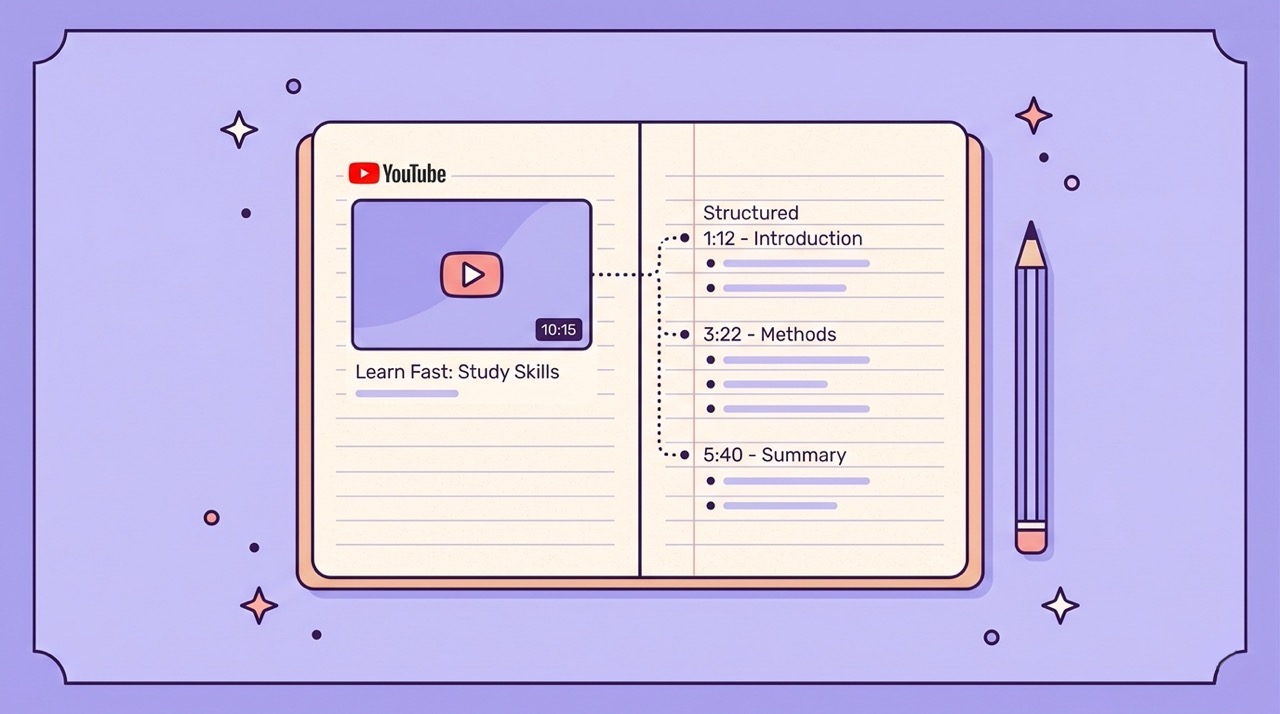
There is a particular kind of frustration that every student who uses YouTube for studying knows well. You watch a lecture. You feel like you understood it. You open your notes three days later and find four disconnected bullet points, two timestamps that lead nowhere useful, and a reminder to "look up the thing he mentioned at 23 minutes."
The problem is not attention or intelligence. It is method. Taking notes from video is structurally different from taking notes from a textbook or a live lecture, and most students apply the same approach to all three — with predictably poor results from the video format.
Video moves at a fixed pace set by the speaker, not the listener. You cannot skim ahead to see where an argument is going before you note it down. You cannot easily re-read a paragraph you did not fully understand on first pass. Pausing to write breaks the flow of the explanation in a way that pausing mid-page of a textbook does not. The result is notes that are either too sparse — because you did not want to keep stopping — or too verbatim — because you panicked and tried to transcribe everything.
This guide covers five methods for taking better notes from YouTube videos, from structured manual approaches to fully AI-assisted workflows. Each method suits a different type of content and a different kind of learner. By the end, you will have a clear picture of which approach fits your situation — and the tools to implement it today.
Why Most Students Take Bad Notes from Video
Before getting into the solutions, it is worth understanding exactly why the default approach fails. There are three root causes.
The passive watching trap. Video is designed to be consumed passively. The combination of moving images, voice, and music activates the same mental mode as watching television — receptive, comfortable, and low-effort. Taking good notes requires active processing: pausing, questioning, summarizing in your own words, connecting to prior knowledge. These two modes are in direct conflict. Most students end up doing neither properly — half-watching and half-noting, which produces incomplete notes and incomplete comprehension.
The pace mismatch. The average person reads at 200 to 300 words per minute and thinks at around 600 to 800 words per minute. A YouTube lecturer speaks at 120 to 180 words per minute. The mismatch means your brain has spare capacity while listening — which it fills with distraction rather than processing. Good note-taking uses that spare capacity productively. Most students do not have a system for doing this.
No pre-reading equivalent. When working from a textbook, experienced students read the chapter summary, scan the headings, and skim the key diagrams before reading in full. This pre-reading creates a mental framework that makes the detailed reading far more efficient. With video, there is no equivalent — you have no idea what is coming, so you cannot allocate your attention strategically. Every section gets the same treatment regardless of how important it is.
All five methods below address at least one of these three root causes. The best ones address all three.
Method 1 — Cornell Notes with Timestamps
The Cornell note-taking system was developed at Cornell University in the 1950s and remains one of the most evidence-backed approaches to structured note-taking. Adapted for video, it produces notes that are genuinely useful for review and exam preparation.
How it works
Divide your note page into three sections. The right two-thirds is the main notes column — this is where you write during the video. The left third is the cue column — this is where you add keywords, questions, and summary labels after the video ends. The bottom section is a summary — two to three sentences in your own words capturing the main point of the entire video.
The video-specific adaptation is timestamps. Every time you write a note in the main column, add the video timestamp in brackets next to it. This transforms your notes from a static document into a navigable index of the video.
Why it works for video
The structure forces you to process content at two different times: during the video (main notes) and after it (cue column and summary). This spaced processing dramatically improves retention compared to a single pass. The timestamp system solves the "I remember something important was said but cannot find it" problem that makes rewatching so time-consuming.
Practical implementation
Use a split-screen setup with the video on one side and a notes document on the other. Google Docs or Notion work well. Pause the video every three to five minutes to consolidate notes rather than trying to write continuously. Complete the cue column and summary within 24 hours while the content is still fresh.
Method 2 — Mind Mapping from Video Structure
Mind mapping is particularly well-suited to YouTube content because it mirrors how good explanatory videos are actually structured: a central concept that branches into related ideas, examples, and implications.
How it works
Start with the video's main topic in the centre of a blank page or digital canvas. As the video progresses, add branches for each major sub-topic. Under each branch, add the key points, examples, and connections that the speaker makes. Use colour to distinguish between types of content — definitions in one colour, examples in another, your own connections in a third.
Why it works for video
Unlike linear notes, a mind map makes the relationships between ideas visible. When a speaker returns to an earlier concept and adds new information, you can add it to the existing branch rather than starting a new section. This produces a connected understanding of the content rather than a sequential record of what was said.
Best content types
Mind mapping works best for conceptual and theoretical content — history, science, philosophy, business strategy, and anything where the goal is understanding a system of interconnected ideas. It works less well for procedural content like coding tutorials or step-by-step processes, where a linear structure is more natural.
Tools
Excalidraw, Miro, and Obsidian's Canvas view all work well for digital mind mapping. Paper works just as well if you are watching on a device where split-screen is not practical.
Method 3 — Notion or Obsidian Integration Workflow
For students who already use a knowledge management system, the most powerful approach is to integrate YouTube notes directly into that system — turning individual video notes into connected knowledge rather than isolated documents.
How it works
Create a template in Notion or Obsidian specifically for YouTube video notes. The template should include: video title and URL, date watched, a summary section, a key points section with timestamps, your own questions and connections, and a tags or category field for linking to related notes.
When you finish watching a video, fill in the template using your notes. The key discipline is the connections section — deliberately identifying at least two or three links between this video's content and other notes in your system.
Why it works
The act of linking new notes to existing ones is where real learning happens. A concept you encountered in a YouTube lecture becomes more meaningful when you connect it to a passage from a textbook, a note from a class, and a real-world example you saved from an article. Knowledge management systems make these connections persistent and searchable.
The limitation
This method requires maintaining discipline around template completion after every video. The workflow also has more upfront friction than simpler methods — setting up the template and the tagging system takes time before it starts paying off. It is a long-term investment rather than an immediate solution.
Method 4 — Copy Transcript, Clean Up, and Annotate
For students who need detailed notes from information-dense content — technical tutorials, scientific lectures, detailed how-to videos — working directly from the transcript is often the most efficient approach.
How it works
Access the YouTube transcript using the method described in our transcript guide. Copy the full text. Paste it into your notes application. Clean up the formatting — add punctuation, break it into paragraphs, remove filler words. Then annotate the clean text: highlight key passages, add your own comments in a different colour, mark sections that need further investigation.
Why it works
For content where the specific wording matters — technical definitions, quoted statistics, step-by-step instructions — having the exact text of the video is more accurate than trying to paraphrase under time pressure. Annotation transforms passive reading into active processing.
The honest limitation
Manual transcript cleaning is time-consuming. A 30-minute lecture produces 4,000 to 5,000 words of raw transcript that takes 45 to 60 minutes to properly clean and format. This makes the method practical for short clips and critical sections, but not sustainable as a default approach for all video content.
This is where AI assistance changes the equation entirely — which brings us to the fifth method.
Method 5 — AI-Generated Structured Notes (The Fastest Method)
AI-assisted note-taking from YouTube combines the best elements of all four previous methods — structure, connections, clean text, and speed — while removing most of the friction.
How it works
Rather than building your notes during the video, you generate an AI summary of the video first. This gives you a structured overview of the content before you watch — the pre-reading equivalent that video has always lacked. You then watch with a clear framework in mind, adding your own observations and questions to the AI-generated structure rather than trying to capture everything from scratch.
For content that is dense enough to warrant detailed notes, you also generate a clean transcript and use it as the annotation base, as in Method 4 — but without the manual cleaning step.
The specific workflow
Step 1 — Before watching: Generate a Normal or Long summary of the video. Read it in two to three minutes. You now know the structure of the argument, the key concepts, and the main conclusions. Your brain has a framework to receive the video into.
Step 2 — During watching: Watch the video at 1.25x or 1.5x speed, since you already know where it is going. Add your own observations, questions, and connections to the AI summary structure as you go. You are annotating rather than transcribing.
Step 3 — After watching: Export the annotated summary to Notion or Google Docs. Add the video URL, the date, and your personal connections to other notes in your knowledge base. The clean transcript is available if you need to reference specific wording.
Step 4 — Review: The structured summary is already formatted for review. Before an exam, reading the summary takes three to five minutes per video — a fraction of the time rewatching would require.
The AI Summary Chrome extension handles Steps 1 and 3 directly inside YouTube. Generate the summary with one click, annotate it in the panel, and export to Notion or Google Docs when you are done — without leaving the YouTube page or copying anything manually.
Which Method Is Right for You?
The best method depends on your content type and your goal.
Content type | Primary goal | Recommended method |
|---|---|---|
Conceptual lecture (history, science, theory) | Deep understanding | Cornell notes + AI summary as pre-read |
Technical tutorial (coding, design, math) | Accurate step-by-step reference | AI clean transcript + annotation |
Long-form course or series | Persistent knowledge base | Notion/Obsidian integration + AI export |
Short explainer under 15 minutes | Quick reference | AI summary only |
Argumentative or opinion content | Critical analysis | Mind map + Cornell cue column |
Foreign language content | Comprehension + vocabulary | AI summary in target language + clean transcript |
For most students in most situations, Method 5 is the starting point — and the other methods are supplements for specific content types or personal learning preferences. The AI-assisted workflow is not a shortcut that bypasses understanding. It is a scaffold that makes active processing faster and more sustainable.
Bonus: How to Export Your Notes Anywhere
Notes that live only in your browser are notes you will eventually lose. A consistent export workflow ensures that everything you capture from YouTube becomes part of a permanent, searchable knowledge base.
To Notion: The AI Summary extension exports directly to your Notion workspace with one click. The summary appears as a new page with the video title, URL, date, and structured content already formatted. You can then move it into the appropriate database and add your own tags and connections.
To Google Docs: One-click export creates a new Google Doc in your Drive with the full summary content. From there you can share it, comment on it, or move it into a folder structure.
To a local file: PDF, DOC, and TXT export options are available for offline access. PDF export includes full Unicode and Cyrillic support, making it reliable for any language content.
Manual copy-paste: For any notes application not covered by direct export, the summary text can be copied and pasted in seconds. The clean formatting transfers reliably to most note-taking applications.
Frequently Asked Questions
Is it cheating to use AI to generate notes from a lecture? Using AI to generate a summary or clean a transcript is a study aid — equivalent to using a highlighter, a study guide, or a textbook summary. It helps you engage with the content more efficiently. What matters educationally is whether you understand the material, not whether you transcribed it manually. That said, check your institution's specific policies on AI tool use, as these vary.
Does AI note-taking work for highly technical content like advanced mathematics or programming? AI summaries handle conceptual explanations of technical content reliably. For specific syntax, mathematical notation, or code examples, always verify against the source video or transcript. Use the AI summary as the structural framework and the clean transcript or your own watching as the source of precise technical details.
Which method produces the best retention? Research on learning consistently shows that active processing — summarizing in your own words, connecting to prior knowledge, testing yourself — produces better retention than passive recording. Methods that force you to process rather than transcribe (Cornell notes, mind mapping, the AI-assisted workflow in Method 5) produce better long-term retention than verbatim note-taking, regardless of how detailed the notes are.
How do I handle videos that are part of a series or course? Create a master note or Notion page for the full course, and link each individual video note to it. Use the AI summary of each video to update a running outline of the full course content. After five or six videos, you will have a structured overview of the entire course that you built incrementally rather than all at once.
Can I use these methods for non-educational YouTube content? Absolutely. The same methods apply to any YouTube content you want to extract value from — industry talks, documentary research, product reviews, interview content, conference presentations. The principles of active processing and structured capture apply regardless of the content category.
Conclusion
Taking better notes from YouTube videos is not primarily a discipline problem. It is a method problem. The default approach — watching and writing at the same time, hoping that what you write captures what matters — is poorly matched to how video works and how memory works.
The five methods in this guide address the root causes: passive watching, pace mismatch, and the absence of a pre-reading equivalent. Cornell notes force active processing at multiple stages. Mind mapping makes relationships visible. Knowledge management integration turns individual notes into connected understanding. Transcript annotation gives you the exact text to work with. AI-assisted note generation provides the pre-reading framework that video has always lacked.
None of these methods requires significant extra time when implemented well. The AI-assisted workflow in particular produces better notes faster than the default approach — because it front-loads the structural work and lets you focus your attention on the parts of the video that actually require it.
The AI Summary Chrome extension makes Methods 4 and 5 available with one click, directly inside YouTube — including clean transcript, structured summary, and one-click export to Notion and Google Docs. Install it free at aisummary.site.
Previously: ChatGPT vs Gemini vs Claude: Which AI is Best for Summarizing Content? ← · Next read: YouTube Transcript: How to Get It, Clean It, and Actually Use It →
Related: YouTube Transcript: How to Get It, Clean It, and Actually Use It