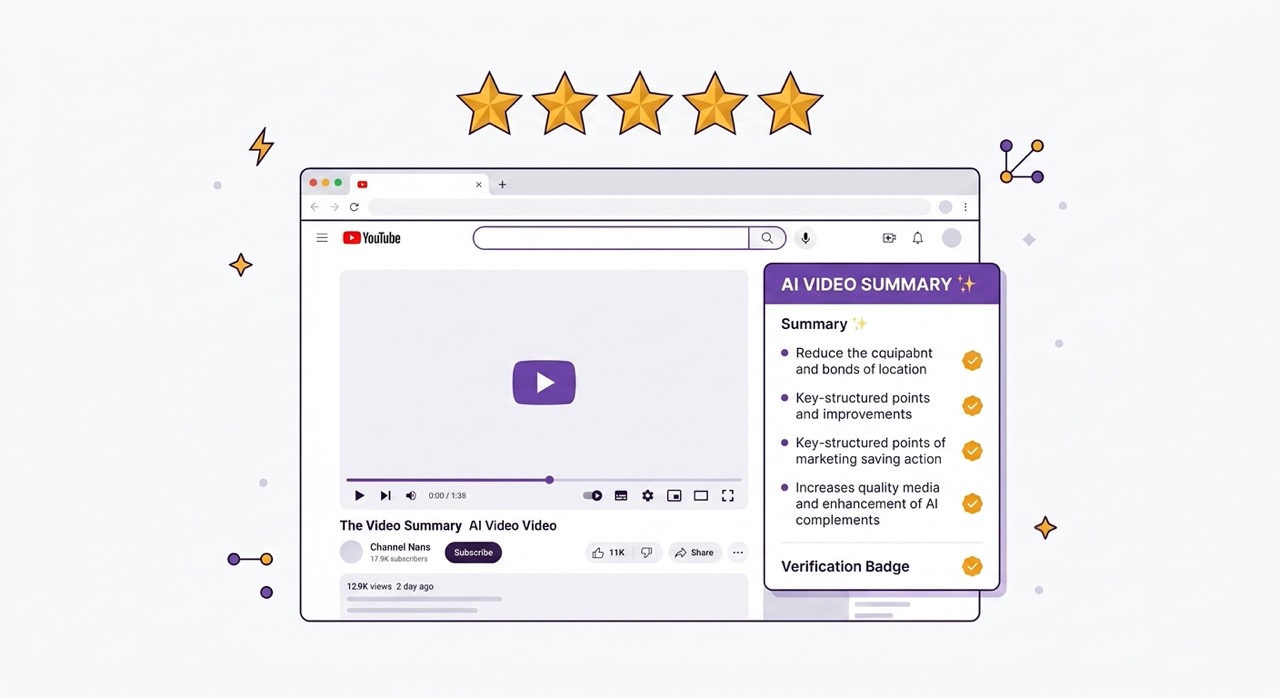
Most Chrome extension reviews are written by people who installed the extension, used it for twenty minutes, and wrote five hundred words about the interface. This is not that review.
Over the course of several weeks, we used the AI Summary Chrome extension on thirty YouTube videos across a range of content types, lengths, and languages. We tested every feature the extension offers, noted where it performed well and where it fell short, and compared the experience against the alternatives available in 2026.
The short version: AI Summary is the most complete YouTube summarization tool currently available as a Chrome extension, and the experience of using it daily is meaningfully different from the experience of using the alternatives. The longer version follows.
Installation and Setup: How Long Does It Actually Take?
The first test of any Chrome extension is installation friction. Extensions that require account creation, email verification, payment information, or multi-step configuration before they function create a barrier that filters out a significant portion of potential users — not because the extension is not worth the effort, but because the effort required to evaluate it exceeds what most people will invest before knowing whether it is valuable.
AI Summary passes this test cleanly. The installation process is as follows: navigate to the Chrome Web Store or to aisummary.site, click Add to Chrome, confirm the browser prompt, done. No account creation. No email address. No payment information. No configuration wizard.
From clicking the Chrome Web Store link to having a functional extension in your browser: approximately 25 seconds.
The first time you open a YouTube video after installation, the AI Summary panel is already present in the interface — there is no setup step, no tutorial you are required to complete, no onboarding flow to navigate. The panel appears. You can use it immediately.
This matters beyond convenience. An extension that requires no account to get started is an extension you can evaluate honestly before making any commitment. You are not invested before you know whether it works. The first summary you generate is a genuine trial, not a post-purchase rationalization.
Feature 1 — Summarization (Short, Normal, Long): Tested
The core feature of any YouTube summarizer is the summarization itself, and the first question is whether the three depth levels — Short, Normal, and Long — actually produce meaningfully different outputs or whether they are the same content at different lengths.
They are genuinely different, and the difference matters in practice.
Short mode produces three to five bullet points that capture the absolute core of the video. We tested it on a 34-minute tutorial on personal finance fundamentals. The output was five points: the main argument of the video in one sentence, the three specific strategies the creator recommended, and a one-line conclusion. Reading time: 45 seconds. Sufficient to determine whether the video covered familiar ground or introduced new approaches.
Normal mode on the same video produced eight sections with subpoints, covering each strategy in detail with the supporting reasoning the creator provided, the specific tools and resources mentioned, and the caveats and qualifications the creator included. Reading time: three minutes. Sufficient to understand the video's content without watching it.
Long mode produced a comprehensive breakdown of approximately 1,400 words that covered every substantive point in the video, including the illustrative examples, the specific numbers and statistics cited, and the creator's responses to counterarguments they pre-empted. Reading time: six to seven minutes. Appropriate for a video you intend to reference and return to rather than simply review once.
The accuracy across all three modes was high on this video. We cross-checked specific claims in the summaries against the video transcript and found no inaccuracies on our tested content. One qualification: accuracy varies with transcript quality, and videos with heavy accents, background noise, or technical jargon in the auto-generated captions will produce less accurate summaries regardless of the tool used.
We also tested summarization on a 2-hour and 47-minute documentary on the history of the internet — the kind of content where most summarization tools fail. The Long mode summary covered the full documentary proportionally, with content from the final hour receiving equivalent treatment to content from the first hour. This is the Gemini 2.5 context window advantage in practice, and it is a genuine differentiator.
Assessment: 4.8/5. The three depth levels are genuinely distinct and correctly calibrated for different use cases. Long video performance is the strongest in its category.
Feature 2 — Timestamped Navigation: Tested
Every point in an AI Summary output is linked to a timestamp in the source video. Clicking any point in the summary jumps the video to the corresponding moment.
We tested this feature extensively on a 52-minute business lecture where we knew specific points occurred at specific times — we had watched the video before testing the extension. The timestamp accuracy was within a few seconds on every point we checked. The feature works as described.
The practical value of timestamped navigation becomes clearest on long content. For the 2-hour documentary, the Long mode summary produced a navigable index of approximately forty timestamped points covering the full content. Rather than scrubbing through two hours of video to find a specific section, we could click directly to any moment in the documentary from the summary. This functionality transforms how you can use long video content — not watching it linearly but navigating it like a structured document.
One limitation worth noting: timestamp accuracy depends on the alignment between the AI-generated summary point and the transcript segment it was drawn from. For summaries where a point synthesizes content from multiple sections of the video, the timestamp points to the most relevant single moment rather than representing a range. This is a reasonable approach to an inherently difficult mapping problem, but it means that some summary points require a minute or two of video context around the timestamp to fully understand.
Assessment: 4.6/5. Accurate, consistently useful, and genuinely transformative for long content navigation.
Feature 3 — Comment Analysis: Tested
The Comments tab within the AI Summary panel analyzes the available comments on the current video and returns three outputs: overall sentiment, top discussion topics, and notable community feedback.
We tested this on five videos with substantially different comment sections: a controversial political commentary video with highly polarized comments, a cooking tutorial with a uniformly positive comment section, a software tutorial where the comments contained significant corrections to the video's content, a lecture from a recognized expert where the comments were substantively engaged by practitioners in the field, and a video that had received significant spam comments.
The results varied appropriately across the five cases. The polarized political video correctly returned a mixed-negative sentiment with top discussion topics accurately reflecting the two camps in the comment debate. The cooking tutorial returned strongly positive sentiment with top topics correctly identifying the most-praised techniques. The software tutorial — where the comments contained corrections to an outdated method shown in the video — correctly surfaced "method is outdated as of [version]" as notable community feedback, which was the most important information a viewer needed from those comments.
The expert lecture comments were the most interesting test. The analysis correctly identified that the top discussion topics included substantive technical elaboration from practitioners — comments that added information rather than simply reacting to the video. This is a useful signal that the video was engaging an expert audience.
The spam-heavy video was the weakest result. The analysis struggled to extract meaningful signal from a comment section where a significant proportion of the comments were generic or promotional, returning a sentiment assessment that was less reliable than the other tests. This is an expected limitation — comment analysis quality is bounded by comment quality.
Assessment: 4.4/5. Strong performance on substantive comment sections. Less reliable on low-quality or spam-heavy comment sections, which is an expected and honest limitation.
Feature 4 — Clean Transcript: Tested
The Clean Transcript feature takes the raw auto-generated YouTube transcript — unpunctuated, unformatted, filled with filler words — and produces a properly punctuated, paragraph-structured, readable text document.
We tested this on four videos: a fast-paced conversational podcast, a technical programming tutorial, an academic lecture with formal speech patterns, and a video with a non-native English speaker whose accent produced some auto-caption errors.
For the academic lecture, the clean transcript was nearly indistinguishable from a professionally transcribed document. Formal speech patterns align well with AI punctuation models, and the resulting text was immediately usable as a study document without any manual editing.
For the conversational podcast, the output was good but required slightly more attention. Conversational speech — with frequent sentence fragments, topic jumps, and incomplete thoughts — produces clean transcripts that are more readable than the raw version but reflect the unstructured nature of the original speech. The tool cleans the format, not the content.
For the technical tutorial, accuracy on general content was high. Two instances of technical terminology were transcribed incorrectly by YouTube's speech recognition and carried through into the clean transcript unchanged — the AI cleaned the format of the incorrect transcription rather than correcting the underlying error. This is an expected limitation: the clean transcript tool processes text, not audio.
For the non-native English speaker video, transcript quality was lower because the source auto-captions had more errors. The clean transcript was significantly more readable than the raw version but contained more inaccuracies than the other tests. This reflects the fundamental dependency on source transcript quality.
Assessment: 4.5/5. Consistently strong for formal and semi-formal speech. Quality is bounded by source transcript accuracy, which is a fundamental limitation rather than a product flaw.
Feature 5 — Ask AI / Chat: Tested
The Ask AI feature provides a chat interface connected to the current video's transcript. You type questions in natural language and receive answers drawn from the video's content, with timestamps.
We tested this with specific factual questions, structural questions, and questions requiring synthesis across multiple sections of the video.
Factual questions — "what specific tool does the presenter recommend for X?" "at what timestamp does the speaker address objection Y?" — were answered accurately and quickly in all cases where the answer existed in the transcript. When the answer to a specific question was not in the video, the system correctly indicated that the information was not available in the source content rather than generating a plausible-sounding answer.
Structural questions — "how does the argument in section three relate to the conclusion in section five?" — produced useful responses that correctly identified the logical connection between sections. This is the most cognitively demanding type of question because it requires synthesizing across the full transcript rather than locating a specific point.
One limitation appeared consistently: the chat interface draws only on the current video's transcript. It cannot compare the current video's claims against other sources, cannot provide context from outside the video, and cannot verify whether the video's claims are accurate against external information. This is an appropriate scope limitation for a tool focused on video content, but it means the Ask AI feature answers questions about what the video says rather than whether what the video says is correct.
Assessment: 4.6/5. Highly useful for navigation and content exploration. The scope limitation to the current video's content is an appropriate design choice rather than a flaw.
Feature 6 — Export Options: Tested
We tested all five export options — Notion, Google Docs, PDF, DOC, and TXT — on a Normal mode summary of a 45-minute video.
Notion export created a new page in the selected database within approximately ten seconds. The formatting transferred correctly — headings, bullet points, and paragraph text all rendered as native Notion content. The video URL was preserved as a page property. The resulting page was immediately usable as a Notion document with no cleanup required.
Google Docs export created a new document in Google Drive with equivalent speed. The formatting was clean and the document structure was immediately usable. One minor note: the heading hierarchy in the exported document used Google Docs heading styles rather than the summary's visual hierarchy, which required a minor manual adjustment for anyone who wanted to use the document's outline view. Not a significant issue but worth noting.
PDF export produced a well-formatted document with correct rendering of all tested character sets including Cyrillic, which is specifically relevant for Ukrainian-language content. The PDF was print-ready without any additional formatting work.
DOC export produced a Word-compatible file that opened correctly in both Microsoft Word and LibreOffice. Formatting was preserved. For users working in organizational contexts where Word is standard, this export is fully functional.
TXT export produced clean plain text. All formatting was stripped, as expected. The content was well-organized as plain text with logical spacing, making it compatible with any application that accepts plain text input.
Assessment: 4.7/5. All five export options work as described. Minor formatting adjustments may be needed in Google Docs for specific use cases. Cyrillic support in PDF export is complete and reliable.
Performance on Long Videos (2h+): Tested
We dedicated specific testing to long video performance because this is the area where the majority of competing tools fail in ways that are not obvious from a brief trial.
Three videos over two hours were tested. A 2-hour 14-minute MIT lecture on algorithms. A 2-hour 47-minute documentary on semiconductor manufacturing. A 3-hour 12-minute startup conference keynote.
For all three videos, Normal mode summaries covered the full content proportionally. We verified coverage by checking whether specific points from the final thirty minutes of each video appeared in the summaries — a test that most competing tools fail. In all three cases, specific points from the final sections of the videos were correctly represented in the summaries.
Processing time for the 3-hour 12-minute keynote was approximately 90 seconds for a Normal summary. This is longer than short video processing but entirely reasonable for the amount of content being processed.
Long mode on the 2-hour MIT lecture produced a summary of approximately 2,400 words that functioned as a comprehensive outline of the full lecture — sufficient to review the lecture content before an exam without rewatching the full two hours.
Assessment: 5/5 for long video handling. This is the area where AI Summary most clearly outperforms the competition, and the performance difference is practical and measurable rather than marginal.
What We Liked
The native YouTube integration is the single most important design decision in the product. Every competing tool requires some form of context switching — copying a URL, opening a new tab, navigating to a separate website. AI Summary lives inside YouTube, which means the workflow is genuinely one click rather than a multi-step process. Over dozens of videos, this difference in friction is significant.
The hybrid AI engine — the automatic routing between ChatGPT, Gemini 2.5, and Claude based on content characteristics — produces consistently high-quality results without requiring the user to understand model differences or make routing decisions. The intelligence of the routing is invisible in normal use and becomes apparent only when you test edge cases: long videos that other tools fail on, multilingual content, technically specialized material.
The glassmorphic design that adapts to YouTube's light and dark themes is a detail that matters more in extended use than in a brief trial. An interface that feels visually native to the platform it inhabits creates less cognitive friction over hours of use than one that looks like a foreign element inserted into the page.
The absence of required account creation for core features reflects a genuine commitment to frictionless evaluation. Users who find value in the extension can upgrade; users who find it does not meet their needs have lost nothing.
What Could Be Improved
Manual model selection is not currently available. The automatic routing produces good results, but users with specific preferences or use cases may want to specify which model processes a particular video. This is listed as a planned feature.
Custom export templates — defining exactly which elements of the summary appear in which format when exporting to Notion or Google Docs — are not available in the current version. Users with specific database structures or document templates must do minor manual adjustments after export. Not a significant friction point but a gap compared to what a fully mature integration would offer.
The comment analysis feature's performance on comment sections heavily contaminated with spam or generic low-quality comments is limited. This is an expected limitation given what the feature is doing, but users who specifically want comment insights from videos in communities with low comment quality should set appropriate expectations.
Final Verdict: Who Is AI Summary For?
AI Summary is the right tool for anyone who regularly uses YouTube for learning, research, or professional information gathering and finds that the time required to watch videos fully is a constraint on how much they can engage with.
It is particularly well-suited for students working through YouTube-based course content, researchers using YouTube as a primary source, professionals who need to stay current with industry content in video form, and knowledge workers who want to integrate YouTube learning into a structured knowledge management system.
It is less necessary for casual users who watch YouTube primarily for entertainment, users whose YouTube consumption is primarily short-form content where the time investment is already minimal, and users with no need to capture, export, or reference video content.
For the users it is designed for, it is genuinely the best available option in its category — not by a small margin on some features, but by a significant margin on the features that matter most: long video handling, native YouTube integration, the breadth of the feature set, and the quality of the hybrid AI engine.
Frequently Asked Questions
Is the free tier genuinely useful or just a demo? The free tier covers core summarization, timestamped navigation, and transcript access — the features most users need most of the time. It is a genuine starting point rather than a crippled demo. Advanced features including unlimited summaries, the most powerful AI models, and cloud history are available in the Pro plan.
Does it work on all YouTube videos? It works on any YouTube video with captions — manual or auto-generated. The vast majority of YouTube videos in major languages qualify. Videos with no captions in any language cannot be processed because there is no transcript to work from.
How does AI Summary handle privacy? The extension processes video content to generate your requested output. Your data is not stored or shared with third parties. The Privacy Policy at aisummary.site covers the full details of data handling.
Is there a limit on video length? There is no hard length limit. The extension handles videos of any length, routing long content to Gemini 2.5's large context window. Processing time increases with video length but does not fail.
What happens if the AI model I need is temporarily unavailable? The hybrid failover system automatically routes to the next available model in the chain. In practice, users never encounter a situation where all three models are simultaneously unavailable, so the failover functions as a seamless reliability mechanism rather than a degraded fallback.
Conclusion
Thirty videos. Every feature tested. Several weeks of daily use. The conclusion is straightforward: AI Summary does what it says it does, does most of it better than the alternatives, and does the most important thing — handling long videos without quality loss — significantly better than any competing tool we tested.
The free tier is worth installing for anyone who uses YouTube for learning or research. The first summary you generate on a video you would otherwise have spent 45 minutes watching will tell you everything you need to know about whether this tool belongs in your browser.
Install AI Summary free at aisummary.site — no account required. Open the next YouTube video you would have watched passively and run a summary first.
Previously: How to Research a Topic Using Only YouTube (AI-Assisted Deep Dive) ← · Next read: How to Export YouTube Summaries to Google Docs Automatically →
Related: Best YouTube Summarizer Tools in 2026: Tested & Ranked · 5 Chrome Extensions That Make YouTube Actually Useful for Learning